
Popular Calculators
Home » Chronological Age Calculator
Chronological Age Calculator
Use this Chronological Age Calculator to measure the calendar time between a date of birth and a selected Age At Date. Enter both dates, select Calculate Age, and view the result in completed years, months, and days. The tool also shows completed calendar months, total weeks, and total days for the selected period. The Age At Date is filled with the current date when the page loads, but you can change it for a past or future comparison. Results are useful for general planning and date checks; official age rules can vary by purpose and location.
Chronological Age Calculator
Chronological Age
Total Months:
Total Weeks:
Total Days:
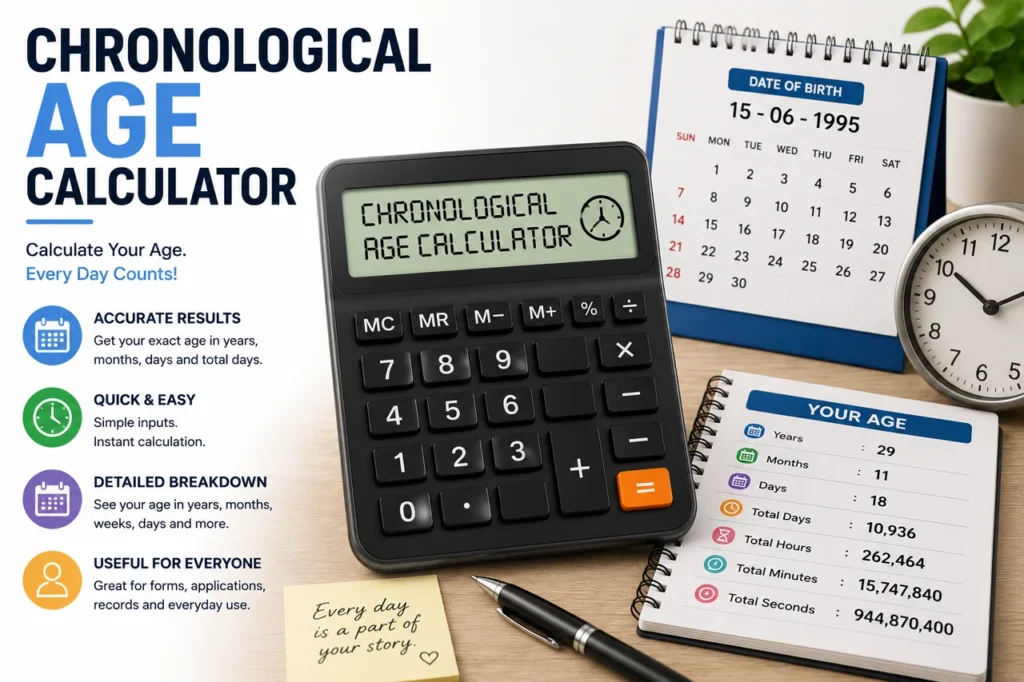
Chronological Age Calculator for Years, Months, and Days
A Chronological Age Calculator measures elapsed calendar time from a date of birth to another date. It expresses that period as completed years, additional completed months, and remaining days. Therefore, it gives more detail than subtracting one birth year from another year.
The Chronological Age Calculator also converts the date interval into other useful views. In addition to the calendar-age result, it displays completed months, total weeks to one decimal place, and total elapsed days. These figures answer different questions, so readers should not treat them as interchangeable.
For example, “26 years, 4 months, and 8 days” follows calendar boundaries, while total days counts the full elapsed day interval. Months do not all have the same length, and leap years add an extra day. As a result, a simple multiplication such as age in years times 365 cannot produce the same answer in every case.
What Is Chronological Age?
Chronological age is the time that has passed since a person’s birthdate. People normally express it in years for everyday use. However, schools, assessments, applications, research records, and age-based schedules may need a more detailed figure in years, months, and days.
Chronological age differs from biological age, developmental age, subjective age and adjusted age. It depends on the time that has passed since birth, not a person’s health, appearance, development or how old they feel. Research indexed in PubMed Central defines chronological age as the amount of time elapsed from birth to a given date, while biological age describes changes in the body and the aging process.
Because the calculation uses dates, correct input determines the quality of the result. You must enter a valid birthdate and a valid comparison date. Moreover, the comparison date must be the same as or later than the birthdate.
How to Use the Chronological Age Calculator
- Select the Date of Birth field and choose the correct birthdate.
- Review the Age At Date field. It normally contains today’s date when the page loads.
- Change the Age At Date if you need age on another past or future date.
- Select Calculate Age.
- Read the completed years, months, and days.
- Review total months, total weeks, and total days if those views are useful.
The date fields use your browser’s date control. Consequently, the visible order may look different depending on device, language, and regional settings. The stored web date follows a year-month-day structure even when the interface displays day-month-year or month-day-year.
Always check the year carefully. Birth-year typing errors can produce a result that still looks mathematically valid. Also, confirm that the Age At Date matches the date your form, institution, or task requires rather than automatically accepting today.
How the Chronological Age Calculator Works
The Chronological Age Calculator starts by subtracting the birth year, month, and day from the selected comparison date. If the comparison-day number is earlier than the birth-day number, it borrows days from the preceding calendar month. Next, if the month difference is negative, it borrows one year and adds 12 months.
This produces a calendar-style result:
Chronological age = completed years + completed months + remaining days
Elapsed time between the two date values produces the total-day result. To find total weeks, the calculator divides total days by seven and displays one decimal place:
Total weeks = total days ÷ 7
For total months, the calculator uses completed years and additional completed months:
Total completed months = completed years × 12 + completed additional months
Therefore, the displayed total months does not convert leftover days into a fractional month. That approach is sensible because a calendar month can contain 28, 29, 30, or 31 days. Likewise, the calendar result and total-day result describe the same interval in different formats.
Chronological Age Calculator Example
Assume the date of birth is 12 March 2000 and the Age At Date is 20 July 2026. First, 26 full years pass by 12 March 2026. Next, four full months pass by 12 July. Finally, eight more days pass by 20 July. The calendar result is therefore 26 years, 4 months, and 8 days.
For completed months, multiply 26 by 12 and add 4. That equals 316 completed months. Meanwhile, the calculator bases total weeks and total days on the full elapsed interval, including leap days that occurred between the two dates.
Now consider a date before the birthday in the comparison year. If the birthdate is 25 November 1995 and the comparison date is 10 August 2026, simply subtracting the years suggests 31. However, the November birthday has not occurred by August. Consequently, the completed-year age is 30, with the remaining months and days calculated from the last birthday.
Why Age Is Not Just the Difference Between Two Years
A quick year subtraction ignores the month and day. For instance, 2026 minus 2000 equals 26, but a person born late in 2000 may still be 25 on an earlier date in 2026. Therefore, age calculations need to check if the birthday has occurred during the selected year.
Month lengths create another challenge. The interval from 15 January to 15 February is one calendar month, although January has 31 days. The interval from 15 February to 15 March is also one calendar month, even though it may contain 28 or 29 days. As a result, converting every month to 30 days changes the meaning of the result.
Leap years also affect total days. Most years have 365 days, while leap years normally have 366. The Gregorian-calendar rules include exceptions for century years. Thus, 2000 was a leap year because it is divisible by 400, while 1900 was not.
Age in Years, Months, Days, Weeks, and Total Days
Completed Years
Completed years count full birthday-to-birthday periods. This is the number most people mean when they state their age. However, it may not satisfy every legal or administrative rule, especially where a specific cutoff time or inclusive counting method applies.
Additional Months and Days
After counting completed years, the calculator reports extra completed calendar months and the remaining days. Together, these parts provide a detailed age at the selected date. This format is often useful when small age differences matter.
Total Completed Months
Total months combine completed years and completed additional months. The calculator does not represent the remaining days as a decimal. Therefore, a result of 120 total months means the person has completed 120 calendar months.
Total Weeks
Weeks divide the elapsed-day interval by seven. Since the output shows one decimal place, it may include a partial week. For example, 100 total days equals about 14.3 weeks.
Total Days
All days count the elapsed interval between the two selected dates. This number naturally reflects month lengths and leap days. Still, rules about including the start date, the end date, or both can differ in legal and administrative contexts.
Useful Reasons to Calculate Chronological Age
Parents and caregivers may check age on an enrollment, appointment, or assessment date. Similarly, students and administrators may need age at the beginning of a school term. A selected Age At Date makes these historical or future checks possible without changing the device clock.
Researchers may record age when a questionnaire, observation, or test occurred. In that setting, consistent date handling is important because participants with the same birth year can differ by almost twelve months. Moreover, a detailed age can help researchers explain how they assigned groups.
People also use an age calculator for retirement planning, birthday countdowns, family records, sports eligibility, insurance questions, and document checks. Nevertheless, the calculator only supplies arithmetic. The organization responsible for a rule decides which date, age definition, calendar, and rounding method apply.
Chronological Age and Other Types of Age
Biological Age
Biological age is a broad idea about the condition or aging pattern of cells, tissues, or body systems. A birthdate alone cannot reveal biological age. Therefore, this page does not estimate biological age.
Developmental Age
Developmental age may describe performance in a specific developmental area compared with an expected range. Qualified professionals use assessment methods rather than a simple date subtraction. Consequently, chronological age may be an input to an assessment but is not the same result.
Adjusted or Corrected Age
Professionals sometimes use adjusted age for babies born prematurely. It considers how early the baby was born for certain developmental discussions. This calculator does not ask for gestational age or weeks premature, so it cannot produce an adjusted-age result.
Gestational Age
Gestational age relates to pregnancy, and healthcare professionals generally count it in weeks and days from a defined clinical starting point. It is different from age since birth. For that reason, do not use this tool as a pregnancy or neonatal calculator.
Legal Age
Legal age depends on the law, jurisdiction, purpose, and sometimes an exact time or special rule. This tool can calculate the date interval, but it cannot interpret legislation. If eligibility affects a contract, benefit, license, court matter, or official application, verify the rule with the responsible authority.
Birthdays on February 29 and Leap-Year Questions
A person born on February 29 presents a calendar question in non-leap years. People can still measure the elapsed time, but local law or institutional policy may determine when the person reaches a legal age. Some contexts use February 28, while others use March 1.
Therefore, do not use the Chronological Age Calculator as the final authority for leap-day eligibility. Enter the exact dates required by the task, review the output, and then check the applicable rule. This is especially important for licenses, benefits, contracts, competitions, and age-restricted activities.
For ordinary personal use, the total-day count includes leap days within the selected interval. However, the calendar-style years, months, and days result follows date components rather than treating every year as a fixed number of days.
Date Formats, Time Zones, and Calendar Assumptions
The Chronological Age Calculator accepts Gregorian calendar dates. ISO 8601 provides a widely used standard for representing dates as year, month, and day. Still, a browser may display the date control according to local preferences.
This calculator handles dates rather than times of day. Consequently, it does not ask for birth time, time zone, daylight-saving changes, or location. Those details may matter when someone asks for an exact age down to hours, minutes, or seconds, but they are outside this tool’s output.
The page fills the Age At Date field with the current date when it loads. If a visitor is near midnight or the device time zone differs from the intended location, check the prefilled date. Simply select the required date manually before calculating.
Common Age-Calculation Mistakes
- Subtracting only the years: This can overstate age before the birthday.
- Entering the wrong comparison date: Today may not match the cutoff date that a form requires.
- Confusing total months with fractional months: The tool reports completed calendar months.
- Treating every year as 365 days: Leap years change the total-day interval.
- Using age at the next birthday: The result reports age at the selected date, not the age someone will soon reach.
- Ignoring local legal rules: Arithmetic alone cannot decide official eligibility.
- Misreading the date order: Browser display formats vary, so inspect day, month, and year.
Another mistake is rounding a detailed age upward. If the output is 17 years, 11 months, and 29 days, the completed-year age remains 17. In most ordinary contexts, a person does not become 18 until they meet the relevant 18th-birthday rule.
Testing an Exact Age Calculator Result
You can perform a reasonableness check without repeating every date calculation. First, confirm the completed years by checking whether the birthday occurred before the comparison date in that year. Next, review whether the leftover months are fewer than 12. Finally, check that the remaining days make sense for the borrowed month.
For important uses, test known cases. The same start and end date should produce zero years, zero months, and zero days. A date exactly one year later should produce one year. In addition, test dates around February 29, month ends, and the day before and after a birthday.
The calculator uses calendar-aware date handling for end-of-month combinations. It clamps anniversaries to the final valid day when a target month does not contain the original day, then counts the remaining elapsed days. Even so, treat the result as a date calculation rather than legal certification because official rules can define age cutoffs differently.
Related Date and Planning Tools
Visit the complete calculator directory to find other tools for education, health, construction, finance, and everyday planning. You can also return to the AtoZ Calculators homepage for featured tools and recently added pages.
If you need to save a result for a form, record the Date of Birth, Age At Date, and the displayed output together. Otherwise, readers may misunderstand the number later because chronological age changes and the comparison date may not be obvious.
Frequently Asked Questions About the Chronological Age Calculator
What Date Should I Enter Under Age At Date?
Enter the date on which you need to know the age. Use today for current age, a past date for a historical record, or a future date for planning. If an organization gives a cutoff date, use that exact date.
Can I Calculate Age on a Future Date?
Yes, provided the future date is after the date of birth. The result then shows the age the person will reach on that selected date.
Why Does the Calculator Show Total Months Without a Decimal?
It reports completed calendar months. Since months have different lengths, the calculator shows leftover days separately instead of converting them with one fixed month length.
Does Total Days Include Leap Years?
The elapsed-date difference includes leap days that fall within the period. Therefore, it is more accurate than multiplying completed years by 365.
Can This Calculator Determine Legal Age?
It can calculate an interval between two dates, but it cannot interpret the law. Verify the applicable cutoff rule with the authority responsible for the license, benefit, contract, or activity.
Does It Calculate Age in Hours or Minutes?
No. The tool works with dates and reports years, months, days, total months, total weeks, and total days. It does not ask for time of birth or time zone.
What If the Age At Date Is Before the Birthdate?
The calculator displays an alert because it cannot calculate chronological age forward from a later birthdate to an earlier comparison date. Correct one of the fields and try again.
Is Chronological Age the Same as Biological Age?
No. Chronological age measures elapsed calendar time since birth. Biological age describes biological condition, and two dates alone cannot reveal it.
Can I Use the Result for a Child-Development Assessment?
Qualified professionals may use the date result as one input, but the tool does not perform a developmental assessment. Follow the method that the professional or assessment publisher specifies.
Final Note on Calculating Chronological Age
The Chronological Age Calculator provides several views of the interval between a birthdate and a selected date. Use the years, months, and days result when calendar age matters, and use total days or weeks when elapsed duration is more useful. Above all, check both dates before relying on the answer and confirm official rules whenever age affects eligibility or legal status.