
Popular Calculators
Home » Markup Calculator
Markup Calculator
Use this Markup Calculator to convert product cost and a markup percentage into selling price, gross profit, and profit margin. Enter a positive cost price, add the percentage you want to place on top of that cost, and select Calculate. The result shows the amount added, final price, original markup percentage, and the equivalent margin on selling price. The tool supports quick cost-plus pricing checks, but it does not include tax, discounts, platform fees, overhead, returns, or other expenses unless you first include them in the cost figure.
Markup Calculator
Selling Price: $
Profit: $
Markup: %
Profit Margin: %
Markup Calculator for Selling Price and Profit Margin
A Markup Calculator answers a common pricing question: if an item costs a certain amount and you add a chosen percentage to that cost, what selling price results? It also shows the gross profit amount and converts the markup into its equivalent profit margin. Therefore, you can see both percentage views without confusing them.
Markup and margin are related, but they use different bases. Markup compares profit with cost, while margin compares profit with selling price. Consequently, a 40% markup does not produce a 40% margin. This distinction matters when retailers, wholesalers, manufacturers, contractors, and online sellers discuss pricing.
The output is only as complete as the entered cost. If Cost Price includes only the supplier invoice, the result does not account for freight, packaging, payment fees, labor, marketplace commission, returns, or overhead. Before applying a price, decide which costs belong in your pricing base.
What Is Markup?
Markup is the amount added to a cost to create a selling price. It can be stated as money or as a percentage of cost. For example, if a product costs $80 and a seller adds $20, the selling price is $100 and the dollar markup is $20.
The markup percentage is $20 divided by the $80 cost, multiplied by 100. Therefore, the markup is 25%. The same transaction has a profit margin of 20% because the $20 profit is divided by the $100 selling price.
Markup is often used in cost-plus pricing because it starts with a known cost. However, a chosen percentage should not be selected in isolation. Demand, competition, customer value, taxes, channel fees, inventory risk, and business expenses also influence a practical price.
How to Use the Markup Calculator
- Determine the cost price to use as the calculation base.
- Enter that value in dollars under Cost Price.
- Enter the desired markup percentage.
- Select Calculate.
- Review Selling Price, Profit, Markup, and Profit Margin.
- Repeat the calculation with other percentages to compare scenarios.
The cost must be greater than zero. The markup can be zero or a positive number. Decimals are accepted in both fields. If an entry is missing, invalid, or outside those limits, the tool asks for valid values.
The interface displays dollars. Therefore, use dollar cost for a correctly labelled result. The ratio works with another currency when all money values use that same currency, but the displayed symbol will still be a dollar sign.
Markup Calculator Formulas
This Markup Calculator uses four connected formulas:
Profit = cost price × (markup percentage ÷ 100)
Selling price = cost price + profit
Markup percentage = profit ÷ cost price × 100
Profit margin = profit ÷ selling price × 100
The displayed money amounts are rounded to two decimal places. Markup and margin are also shown to two decimal places. Consequently, adding displayed rounded figures may occasionally differ by one cent from an unrounded internal calculation in another system.
Markup Calculation Examples
Example 1: 25% markup
Assume an item costs $80 and the desired markup is 25%. The profit is $80 × 0.25, which equals $20. The selling price is $100. However, the profit margin is $20 ÷ $100 × 100, which equals 20%.
Example 2: 50% markup
An item costs $40 and receives a 50% markup. The added profit is $20, so the selling price is $60. The equivalent margin is $20 divided by $60, or 33.33%.
Example 3: 100% markup
An item costs $30 and receives a 100% markup. The profit is $30 and the selling price is $60. Therefore, doubling cost produces a 50% margin, not a 100% margin.
Example 4: Decimal cost and markup
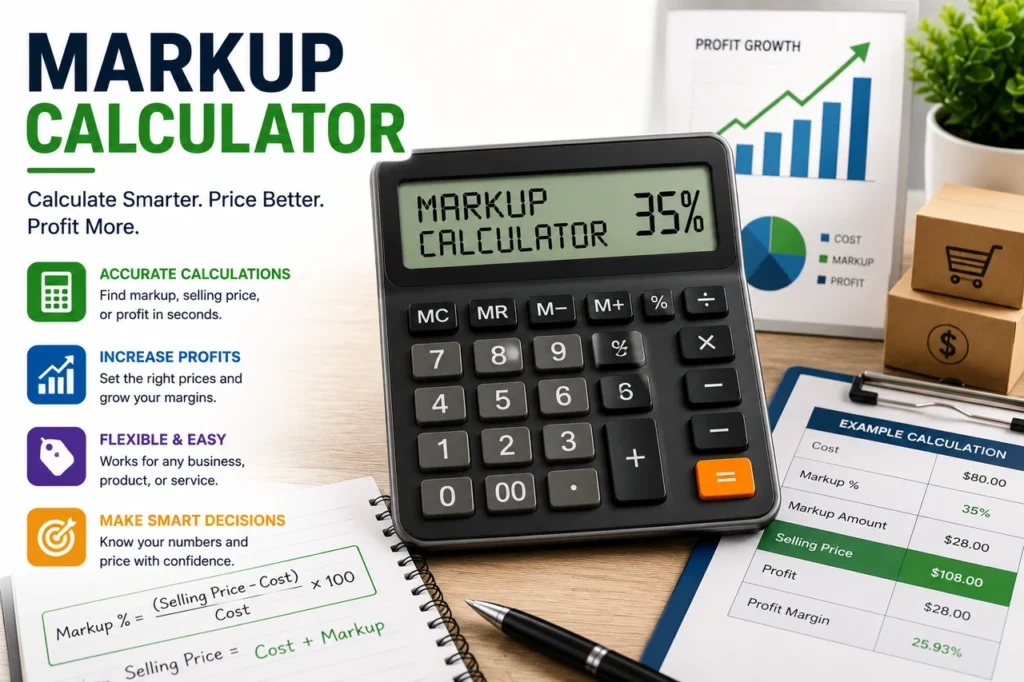
Suppose cost is $12.75 and markup is 35%. Profit is $4.4625, which displays as $4.46. Selling price is $17.2125, which displays as $17.21. The equivalent profit margin is about 25.93%.
Markup Versus Margin
Markup uses cost in the denominator. Margin uses sales price in the denominator. Since selling price is higher than cost when there is a positive profit, the margin percentage is lower than the markup percentage for the same transaction.
The conversion from markup to margin is:
Margin % = markup % ÷ (100 + markup %) × 100
For example, 60 ÷ 160 × 100 equals a 37.5% margin. Meanwhile, the conversion from margin to markup is:
Markup % = margin % ÷ (100 − margin %) × 100
For example, a 40% target margin requires 40 ÷ 60 × 100, which equals about 66.67% markup. The current Markup Calculator accepts markup as the input; it does not accept a target margin as an input for reverse calculation.
Quick markup-to-margin reference
- 10% markup equals about 9.09% margin.
- 20% markup equals about 16.67% margin.
- 25% markup equals 20% margin.
- 40% markup equals about 28.57% margin.
- 50% markup equals about 33.33% margin.
- 75% markup equals about 42.86% margin.
- 100% markup equals 50% margin.
- 200% markup equals about 66.67% margin.
These relationships are mathematical, but they do not state which rate a business should use. A sustainable rate depends on total costs, sales volume, market position, and risk.
What Should Be Included in Cost Price?
Cost Price can mean different things. A basic product calculation may use the supplier or manufacturing cost only. A fuller pricing model may include landed cost, which can cover purchase price, freight, import duties, and other costs required to bring the item into stock.
Some sellers also allocate packaging, payment processing, marketplace commission, direct labor, storage, picking, delivery subsidy, returns, and expected damage. In addition, service businesses may need to include labor time, materials, travel, subcontractors, and job-specific expenses.
Overhead requires care. Rent, software, insurance, administration, marketing, utilities, and professional fees may not belong directly to one unit, but the business still has to pay them. Therefore, a gross profit shown by the tool is not the same as net profit after all operating expenses.
Write down the definition used for cost. Otherwise, two team members can enter different figures and believe they are comparing the same markup. A clear cost policy makes repeated calculations more useful.
Gross Profit Is Not Net Profit
The Markup Calculator labels the difference between selling price and entered cost as Profit. In a simple product calculation, this is best understood as gross profit relative to that entered cost. It does not subtract every business expense.
Net profit normally considers operating expenses, interest, taxes, and other applicable items. Moreover, refunds, discounts, damaged inventory, and unpaid invoices can reduce realized profit. Therefore, do not treat the displayed amount as guaranteed money retained by the business.
For bookkeeping, tax, and financial-statement definitions, follow the accounting rules that apply to your business and location. The calculation is a pricing aid, not accounting advice.
Using a Markup Percentage Calculator for Pricing
Start with a cost that reflects the decision you are making. Next, test several markup percentages rather than choosing one arbitrary figure. Then, compare the resulting prices with customer demand, competitor positioning, substitute products, minimum advertised price rules, and the value of the offer.
The U.S. Small Business Administration explains that market research and competitive analysis help a business understand customers and its competitive position. That work supports pricing decisions, although it cannot replace a cost calculation.
Finally, check what happens after discounts and channel fees. A list price may look profitable before a 20% promotion but produce a weak result afterward. Build scenarios for normal price, common discount, and clearance price before publishing an offer.
Pricing Scenarios to Test
Retail product pricing
A retailer can enter landed unit cost and compare several markups. However, the chosen price should also cover shrinkage, markdowns, payment fees, staffing, rent, and other operating costs. Fast-moving essentials and slow specialty items may need different approaches.
Wholesale pricing
A wholesaler may use a lower percentage than a direct-to-consumer seller because order sizes and service costs differ. Still, payment terms, freight, credit risk, and minimum quantities affect the economics. Therefore, one standard markup may not fit every account.
Marketplace selling
Online marketplaces can charge commission, fulfillment, storage, advertising, and other fees. If those amounts are not included in cost, the calculator overstates the amount left after the sale. Use a fee estimate that matches the product, category, price, and fulfillment method.
Service and project pricing
For services, cost may include direct labor and materials, but capacity and non-billable time also matter. Moreover, a project may carry warranty, revision, travel, scheduling, or collection risk. Use the calculation as one part of a broader quote.
Discounts and Their Effect on Markup
A discount reduces selling price but does not reduce the original cost. Consequently, profit and margin fall faster than many sellers expect. Assume an item costs $60 and has a list price of $100. Gross profit is $40 and margin is 40%.
If the price receives a 20% discount, the customer pays $80. Gross profit becomes $20, and margin becomes 25%. Thus, a 20% price discount cut the gross profit amount in half in this example.
Plan promotions using the discounted selling price, not only the discount percentage. In addition, include marketplace or payment fees that are charged on the transaction. The current tool cannot apply a discount automatically, so run a separate manual scenario when needed.
Taxes, Fees, and Currency
Sales tax or value-added tax may be added to the customer price, included in it, or treated differently depending on location and business status. This tool does not ask for a tax rate. Therefore, decide whether your entered cost and planned selling price are tax-exclusive or tax-inclusive and keep the treatment consistent.
Payment and platform fees may be a percentage, a fixed charge, or both. A fixed charge has a larger percentage impact on a low-priced item. Similarly, currency conversion can add exchange-rate spread and processing fees.
The Markup Calculator dollar symbol is a display choice. If you use another currency for an internal calculation, every money figure must remain in that currency. Do not compare results across currencies without a stated conversion date and rate.
Common Markup Calculator Mistakes
- Using margin as the markup input: the two percentages are not the same.
- Leaving out landed costs: freight and duties can change the pricing base.
- Calling gross profit net profit: operating expenses still need to be paid.
- Ignoring discounts: a lower selling price directly reduces gross profit.
- Forgetting selling fees: marketplace and payment charges may be material.
- Mixing tax-inclusive and tax-exclusive values: use one consistent basis.
- Copying competitors without checking cost: another seller may have different economics.
- Keeping one percentage forever: costs, demand, and competition change.
Another mistake is rounding too early. If cost and percentage produce fractions of a cent, calculate first and round the final customer price according to business rules. Repeated early rounding can create small differences across high sales volumes.
When Cost-Plus Pricing Is Not Enough
Cost-plus pricing is clear and easy to review. However, it does not directly measure what customers are willing to pay or the value they receive. A highly differentiated product may support a higher price, while a common product may face strong market limits.
Competitor-based pricing also has limits because competitors can have different costs, objectives, bundles, and quality. Meanwhile, value-based pricing requires customer research and a strong understanding of alternatives.
Many businesses combine methods. They use cost and markup to identify a floor, market research to understand the range, and value analysis to select a final position. Afterward, they monitor volume, conversion, returns, customer feedback, and contribution.
Markup and Break-Even Planning
Markup helps calculate gross profit per unit, but break-even planning also needs fixed costs. Suppose the entered unit cost is $30, markup is 50%, and selling price is $45. The simple gross profit shown by the tool is $15 per unit. If monthly fixed costs are $3,000 and no other variable costs apply, 200 units would be needed to contribute $3,000.
However, real break-even analysis may include payment fees, commissions, returns, discounts, shipping subsidies, and taxes. Therefore, the $15 should not automatically be treated as final contribution per unit. Adjust the selling price and all variable costs before dividing fixed costs by contribution.
The current calculator does not ask for fixed costs or unit volume, so it does not calculate a break-even point. Still, its selling price and simple profit output can provide one input to a separate, properly defined break-even model.
Related Business Calculators
Use the advertising cost-per-thousand tool to compare impression-based media costs. Then, browse all available calculators for other finance, construction, health, education, and everyday calculations.
Advertising cost can be part of customer acquisition or overhead, but it is not automatically a per-unit cost. Therefore, decide how your business allocates marketing expense before adding it to the Cost Price field.
Frequently Asked Questions About the Markup Calculator
What is the difference between markup and margin?
Markup divides profit by cost. Margin divides profit by selling price. Therefore, the margin percentage is lower than the positive markup percentage for the same item.
What does a 100% markup mean?
It means profit equals the entered cost and the selling price is twice that cost. The equivalent profit margin is 50%.
Can I enter a zero markup?
Yes. A zero markup produces a selling price equal to cost, zero profit, and a zero margin. However, it does not cover expenses omitted from the entered cost.
Does this tool calculate tax?
No. It has no tax field. Apply the tax treatment required in your location separately and state whether your figures include or exclude tax.
Does profit include platform fees and overhead?
Only if you included those amounts in Cost Price. Otherwise, the displayed profit is the difference between selling price and the narrower cost you entered.
Can I calculate selling price from a target margin?
Not directly in the current form. It accepts markup percentage. Convert target margin to markup first or use the formula selling price = cost ÷ (1 − target margin as a decimal).
Can I use the calculator for services?
Yes, if you define the service cost carefully. Include direct labor, materials, subcontractors, and other relevant costs, then review capacity, overhead, risk, and market value separately.
Why is the displayed price different by one cent from my spreadsheet?
Rounding settings may differ. This tool calculates with the entered numbers and displays two decimal places. Check whether the spreadsheet rounds inputs or intermediate results earlier.
What markup should I charge?
No single percentage fits every business. Review full cost, required contribution, demand, competition, product life, inventory risk, sales channel, taxes, discounts, and customer value.
Final Note on Markup and Margin
The Markup Calculator provides a quick, transparent cost-plus pricing result. Enter a well-defined cost, test more than one markup, and compare the resulting selling price and margin. Then, account for fees, discounts, overhead, tax treatment, market conditions, and business goals before using the price in a live offer.